You are not the only individual whose cashback has not been tracked following a transaction. Many people suffer from either not receiving any cashback or experiencing delays with their cashback rewards when shopping online. Although this may be irritating, the majority of the time, the problems resulting in missing or delayed cashback are due to technical or user-related issues and can usually be rectified. As someone who frequently shops on the internet, I have personally encountered issues regarding my cashback on multiple occasions.
For example, while using Hyyzo the best website for cashback, I noticed my cashback didn’t track just because I switched tabs during checkout, a small mistake that’s easy to overlook. Over time, I’ve learned that tracking depends on simple factors like cookies, session continuity, and using the right links.
Based on both personal experience and learning how cashback systems work, most of these issues are temporary and fixable. Once you understand what affects tracking, it becomes much easier to shop confidently and never miss your rewards.
This guide explains why cashback tracking fails, how long it takes, and what to do if your rewards don’t appear.
Why Does Cashback Fail to Track? (Common Reasons)
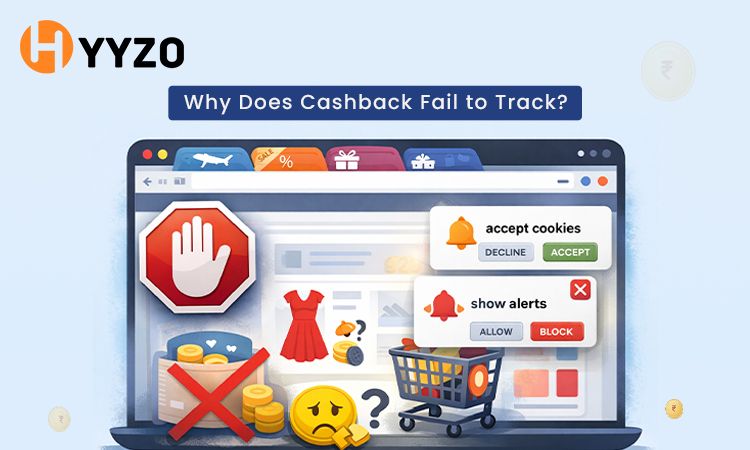
Understanding why your cashback didn’t track can help you avoid the issue in the future and ensure smoother transactions.
You Used an Ad Blocker
Ad blockers can disrupt the tracking link, which connects the cashback platform to the retailer. This often prevents the system from recording your purchase properly.
Third-Party Cookies Were Blocked
Cookies serve as essential tools that enable the tracking of purchase activities. The purchase cannot be correctly attributed because your browser blocks third-party cookies, and a third-party coupon code cashback is not tracked, or the system fails.
You used a Coupon Code from another site
Using an external coupon code can result in coupon code cashback not being tracked. Retailers may assign the commission to another source instead of your.
You Shopped Directly on the App (not browser)
If you made the purchase directly on a retailer’s app instead of using the cashback platform link, it may lead to cashback not being tracked on the app.
You Used a VPN During Purchase
Using a VPN can interfere with tracking by masking your location. This often results in VPN cashback not tracking problems.
You opened a new tab during checkout
The tracking session gets broken when users open new tabs or switch windows during checkout, which prevents the system from recording their purchase.
The most common reason for cashback not being tracked on Flipkart occurs when users interrupt their shopping session or disable their cookies.
The same situation exists when users fail to receive cashback after they make purchases, or else cashback is not tracked on Myntra or Amazon.
How Long Does Cashback Take to Track?
Cashback tracking is not always instant. In most cases, it appears within a few hours, but it can sometimes take up to 24–48 hours depending on the retailer.
Initially, it shows as cashback pending, which means the transaction has been recorded but not yet confirmed. This stage can last several days or even weeks based on return policies.
Once approved, the cashback moves from pending to confirmed and finally gets credited to your account.
If your cashback is pending for too long and doesn’t update, there may be a tracking issue.
What to Do If Your Cashback Is Missing After a Purchase on Hyyzo
If you're facing missing cashback or your cashback is not credited after the expected time, there are a few steps you can take.
- Check your transaction history.
- Ensure the order meets cashback eligibility criteria
- Wait for the confirmation period
- Keep proof of purchase ready
If your cashback is not showing in your account after 48 hours, it’s best to take action.
How to Raise a Missing Cashback Claim on Hyyzo
If you’re wondering how to claim missing cashback, follow these steps:
- Log In: Access your Hyyzo account to ensure your shopping session was recorded.
- Contact Support: Go to the "Contact Us" section and tap to call or WhatsApp directly at 8877882323.
- Submit Your Details: Send a message with your registered email, store name, and order ID and all the further details.
- Attach Proof: Upload a screenshot of your order confirmation or invoice to verify the purchase.
When you raise a claim on Hyyzo cashback, the support team reviews your case and coordinates with the retailer. Submitting accurate details improves the chances of resolving cashback not-credited issues.
How to Avoid Cashback Tracking Issues (Tips)
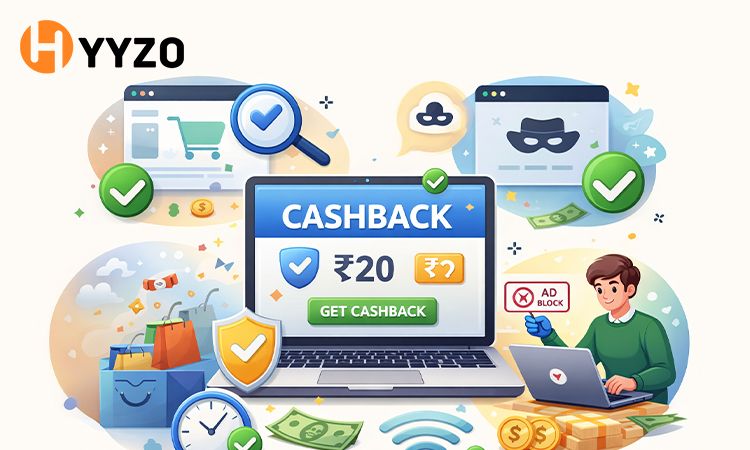
Avoiding tracking issues is mostly about making sure your "digital trail" stays clean from the moment you click on Hyyzo to the moment you pay.
Here is the "Golden Rules" checklist to ensure your cashback tracks every time:
1. The "Empty Cart" Rule
The Issue: If items are already in your cart before you click through Hyyzo, the retailer might not give Hyyzo cashback credit for the sale.
The Fix: Always clear your cart first. Log in to Hyyzo, click "Earn Cashback Now," and then add items to your cart and check out.
2. Stick to One Session
The Issue: Switching tabs, closing the browser, or going to a coupon site mid-purchase breaks the tracking link.
The Fix: Complete the entire purchase in one sitting without leaving the tab that Hyyzo opened for you. Avoid clicking on any other "Apply Coupon" pop-ups or extensions.
3. Kill the ad blockers
The Issue: Ad-blockers and privacy extensions, which include Block Origin and Ghostery, block the "cookies" that detect your arrival from Hyyzo.
The Fix: You need to turn off all ad-blockers or add the store and Hyyzo to your whitelist before you begin shopping.
4. Don't Switch Devices
The Issue: Clicking "Activate" on your laptop but finishing the payment on your phone app will almost always fail to track it.
The Fix: If you start on the Hyyzo app, finish on the store's app. If you start on a desktop browser, finish on the desktop browser.
5. Watch Out for "External" Coupons
The Issue: Using a coupon code you found on a different site or received via SMS can sometimes "overwrite" the Hyyzo cashback tracking.
The Fix: Only use coupons listed on the Hyyzo store page. If you use an unverified code, the retailer may attribute the sale to the coupon source instead of Hyyzo.
Using the Hyyzo app or similar platforms consistently can also help reduce tracking errors.
Final Thoughts
The experience of online shopping presents me with challenging situations because I cannot see the cashback rewards that I expected to receive. The majority of checkout problems that have been observed in the work emerge from minor errors, which can be easily resolved through correction.
Once I learned about cashback tracking, it enabled me to shop without losing out on rewards because that made me understand the system.
By following the right steps, I have established a system that prevents cashback tracking failed problems from affecting my work, which you can implement to achieve the same results.
FAQs — Cashback Not Credited
Q1. Why is my cashback not showing after purchase?
If your cashback is not showing immediately, it may still be processing. Tracking systems often take up to 48 hours to reflect transactions.
Q2. How long does cashback take to track on Hyyzo?
Cashback usually shows as cashback pending but not confirmed within 1 to 3 hours after a purchase. Retailers require a processing period, which lasts from 48 hours to 60 days, to handle cashback requests.
Q3. What steps should I take when my cashback is not credited or fails to show up in my account?
The missing cashback claim requires you to present your order details together with your purchase proof because your reward remains unclaimed.
Q4. What caused my cashback tracking system to stop working?
The tracking system stops working because users block cookies while using ad blockers and VPN connections during their checkout process.
Q5. What coupon options are available for me to use while receiving cashback?
No, using external coupons may result in cashback not showing in the account or being credited because the commission is assigned elsewhere.
Q6. Cashback is not tracked if switched to another tab. Why does this happen?
Yes, switching to another tab while checking out breaks the tracking, and then cashback may not be recorded.
Q7. Will cashback be credited after the order return?
No, the cashback will not be credited to your account if you cancel or return the order.